1
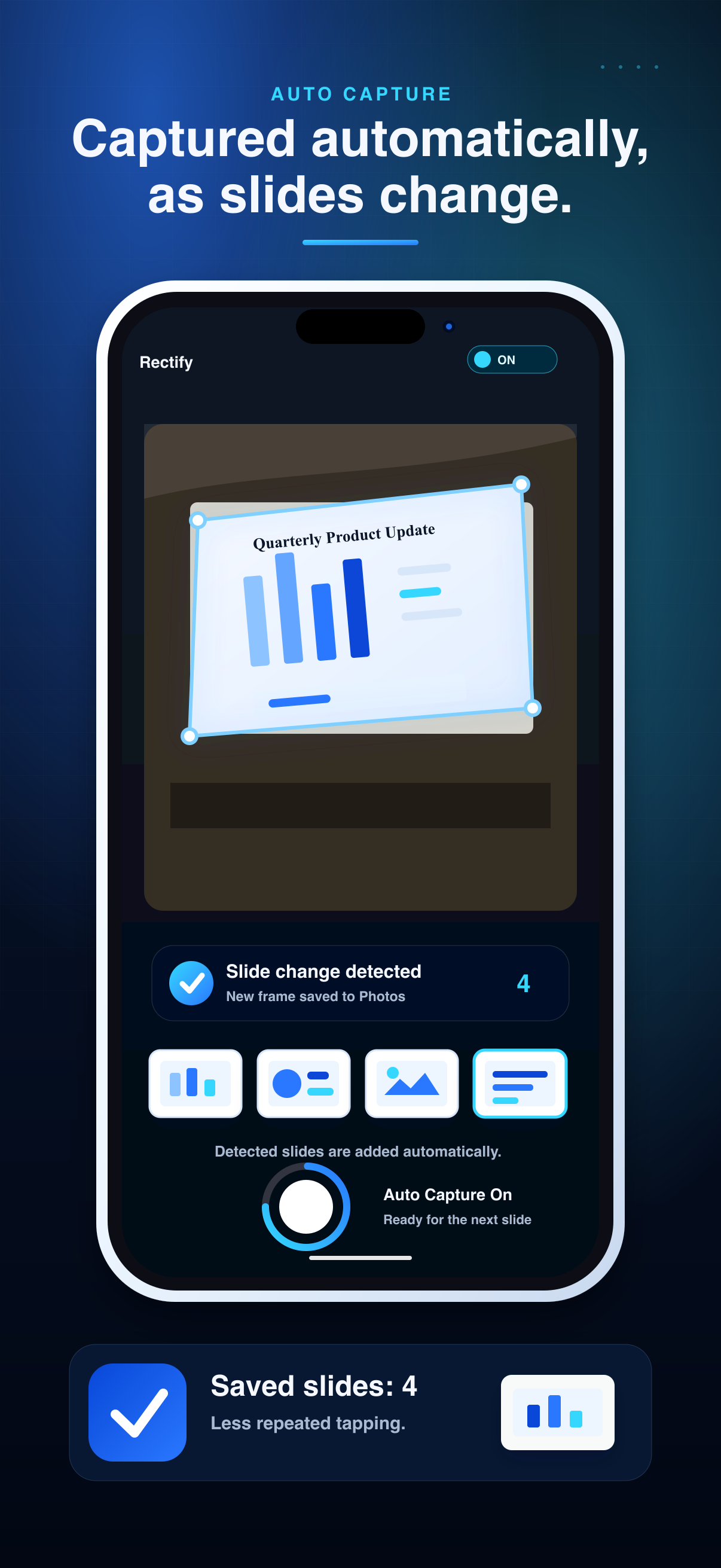
Automatic capture when slides change
Start auto capture and Rectify watches for slide changes, waits for the image to stabilize, then saves the slide without requiring a manual shutter press each time.
Slide capture camera for iPhone
Point your iPhone at projected slides during talks, lectures, and meetings. Rectify detects slide changes, captures them automatically, and turns angled shots into clean front-facing images.
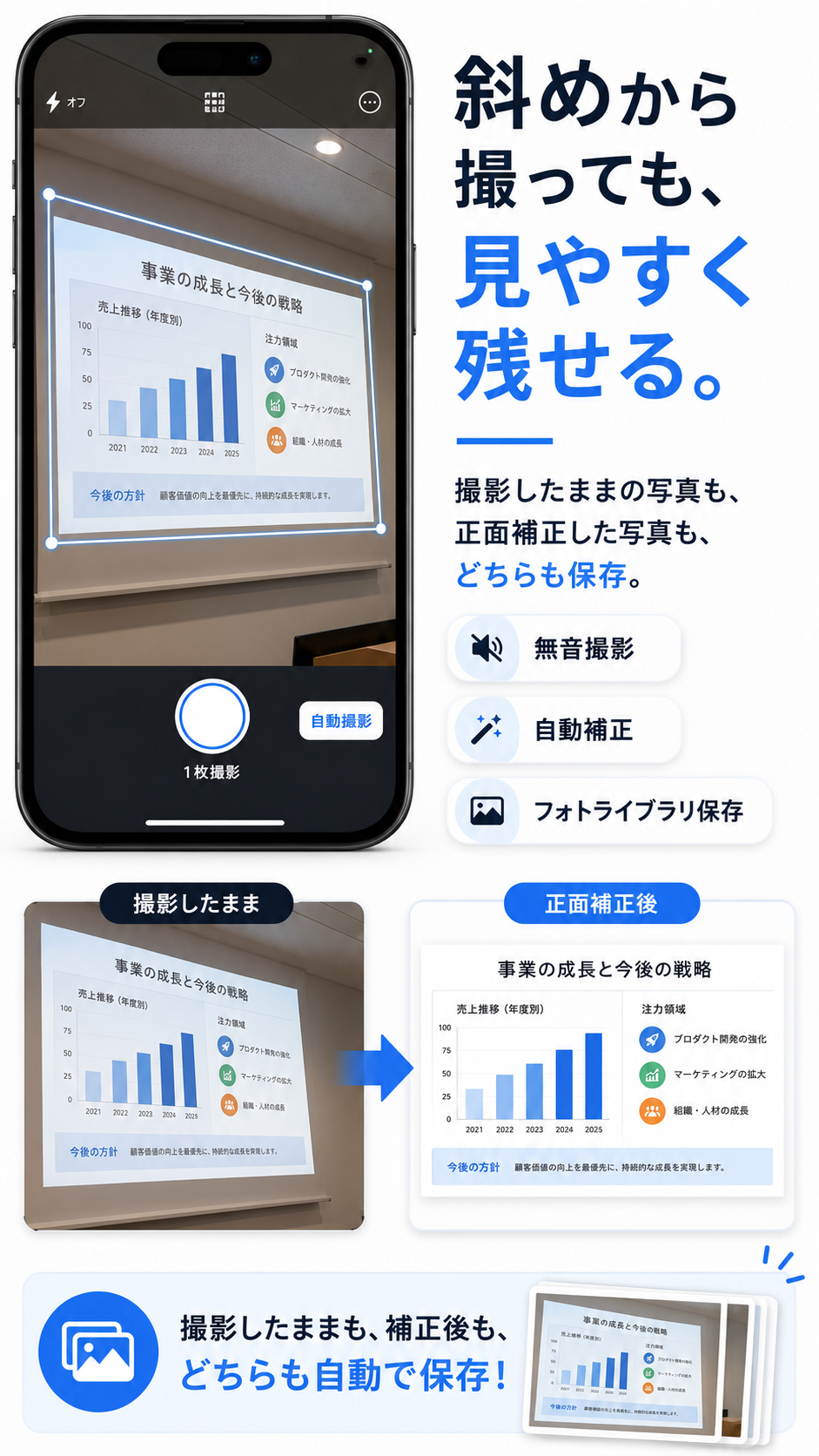
Rectify opens directly to the camera and focuses on the moments when slides change on a screen in front of you.
Start auto capture and Rectify watches for slide changes, waits for the image to stabilize, then saves the slide without requiring a manual shutter press each time.
The app detects the slide area and applies perspective correction so a slide shot from the side can be saved as a front-facing rectangle.
A live rectified preview helps you see what the corrected image will look like before capture, so you can notice framing problems early.
Choose where original and rectified images go independently: in-app storage, Camera Roll, both, or neither.
Use one-tap capture at any time, including while automatic capture is running, with the same save settings applied consistently.
Rectify is planned as a free download with a one-time Pro upgrade. Final price and release timing have not been announced.
Privacy by design
Slide detection, OCR used for change detection, and perspective correction are processed on device. Rectify does not send captured images or analysis results to developer servers, does not require an account, and does not include ads, analytics SDKs, or tracking.
The app is meant to be ready when a talk starts: detect the projected area, preview the correction, and save only the versions you choose.